AI Assistant Prompt Studio: Include Notes in Prompts
AI Assistant
What’s new?
You can now include Notes as a data source when building prompts in the AI Assistant Prompt Studio.
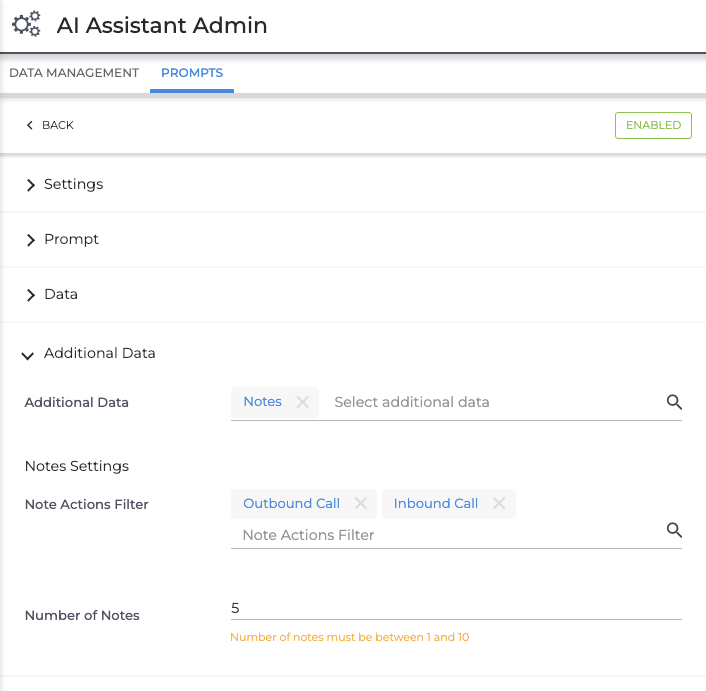
To add Notes to a prompt, select Notes under the Additional Data Settings section. You can optionally filter by Note Action to specify which note types you want the prompt to use (e.g., Outbound/Inbound Calls or Emails). If you don’t apply a Note Action filter, all Note types will be included by default.
You can also configure the number of Notes to include (between 1–10). The AI Assistant will automatically pull in the most recent Notes that match your filters, using them as context for the prompt.
Why does it matter?
Adding Notes as context to prompts allows the AI Assistant to deliver more relevant and informed responses. It also unlocks a wider range of use cases, such as summarizing client calls and reviewing recent candidate interactions.
How do I enable this?
This update will be enabled automatically for customers with the AI Assistant Prompt Studio.